
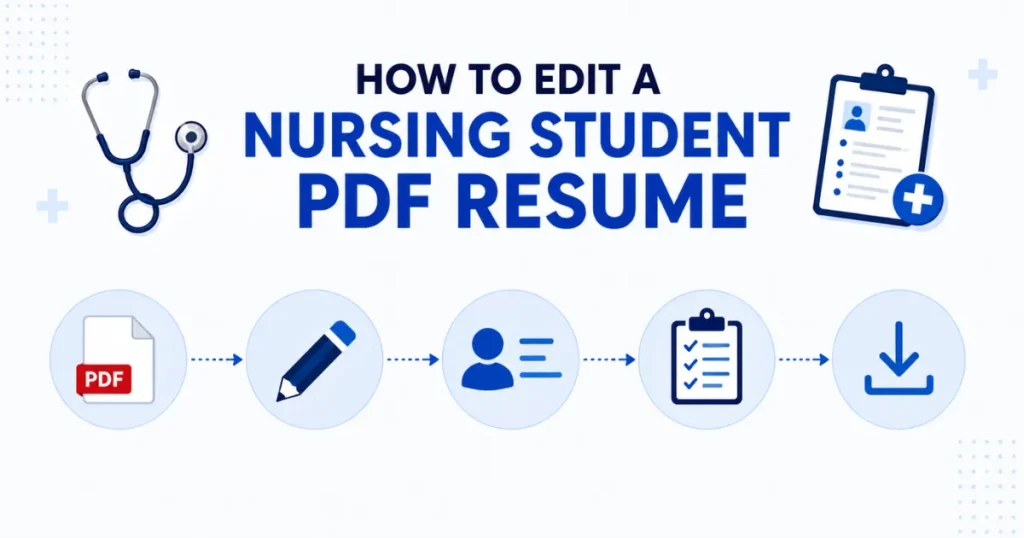
Need to edit a nursing student’s PDF resume without ruining the layout? The easiest method is to convert your PDF into an editable Word document, update your information, review the formatting, and save it as a professional PDF again. This approach helps preserve fonts, spacing, headings, and ATS compatibility while making your resume easy to customize for different nursing positions.
Whether you’re adding a new clinical rotation, updating certifications, or tailoring your resume for a specific healthcare employer, editing a PDF directly can be difficult and may cause formatting issues. Converting it to Word provides greater flexibility, allowing you to make changes quickly while maintaining a clean, professional appearance.
In this guide, you’ll learn the safest way to edit a nursing student resume PDF, avoid common formatting mistakes, keep your resume ATS-friendly, and prepare a polished application that is ready to submit with confidence.
Why You Need to Edit a Nursing Student PDF Resume
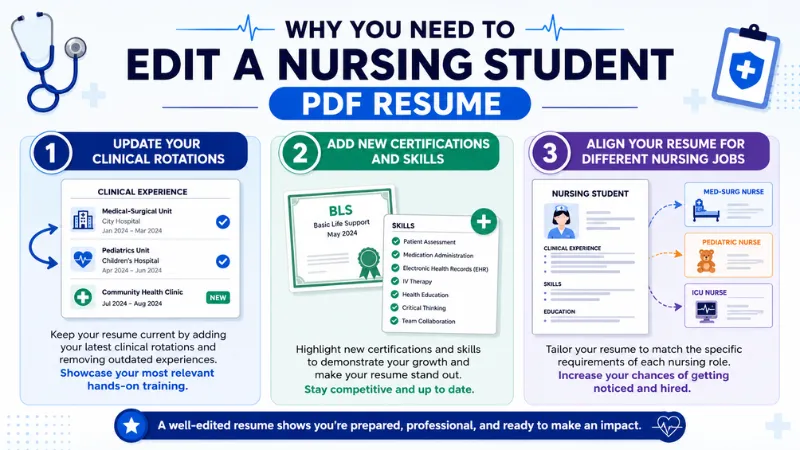
Your resume is not a document you create once and forget. As you progress through nursing school, gain clinical experience, or earn new certifications, it should reflect your latest qualifications. If you need to edit a nursing student’s resume PDF, making timely updates helps present the most accurate and professional version to potential employers. A well-maintained resume also increases your chances of passing applicant tracking systems (ATS) and getting noticed by recruiters. In that case, PDF editing is a matter. Always update your resume and add skills & experiences.
1. Update Your Clinical Rotations
Clinical rotations are one of the most valuable parts of a nursing student’s education. Every new placement gives you hands-on experience in different healthcare settings, such as medical-surgical units and pediatrics. Instead of creating a brand-new resume each time, edit your existing resume to include your latest information, responsibilities, and practical skills.
2. Add New Certifications and Skills
As your education continues, you may complete certifications like Basic Life Support (BLS), CPR, First Aid, or other healthcare training. You may also develop technical skills such as electronic health record (EHR) documentation or patient assessment. Updating these achievements immediately ensures your resume reflects your current qualifications and helps employers quickly identify your strengths.
3. Align Your Resume for Different Nursing Jobs
Not every nursing position requires the same skills. For example, a pediatric clinic may value child patient care experience, while a long-term care facility may focus on geriatric care. Before applying, edit your nursing student resume PDF to highlight the experience, coursework, and skills that best match the job description. In that case, you PDF conversion like PDF to other files, PDF to Word, Image, and other formats, then you may do it easily.
Now that you understand why regular updates are important, the next step is learning whether you can edit a PDF resume directly or if converting it to Word is the better option.
Can You Edit a PDF Resume Directly?
Yes, you can edit some PDF resumes directly. But it depends on the type of PDF you have. If you try to edit a nursing student’s resume PDF, it’s important to know whether the file is an editable PDF or a scanned PDF. For this reason, you must choose the best PDF converting AP, or web platform where you can edit PDF, convert PDF from any files or files to PDF formats like (Word to PDF, Image to PDF, etc.).
Editable PDF vs Scanned PDF
An editable PDF contains selectable text, which means you can highlight, copy, or modify the content using a compatible PDF editor. These files are much easier to update if you only need to change a few details, such as your phone number, certification, signature, and so on.
Therefore, a scanned PDF is different. It is essentially an image of your resume, so the text cannot be edited directly. For example, if you scanned a printed resume or received a scanned copy from someone else, you will need text recognition technology before making changes.
When You Should Convert PDF to Word First
Converting your PDF to Word is usually the best option when you need to make multiple edits or update important sections of your resume. For example, if you’re adding new clinical rotations, changing your nursing objective, updating certifications, for a specific employer, a Word document is much easier to work with.
Using a reliable PDF to Word converter helps preserve headings, fonts, spacing, bullet points, and overall layout, making the editing process faster and more accurate. After reviewing your changes, you can save the updated document as a PDF again before submitting your application.
How to Edit a Nursing Student Resume PDF
There are some essential parts to make a resume edit. You have to choose the best and easiest PDF editor on the web. PDF Converter may be the best choice that provides an all-in-one solution. Here are some simple steps; let’s follow them.
Step 1: Select PDF File
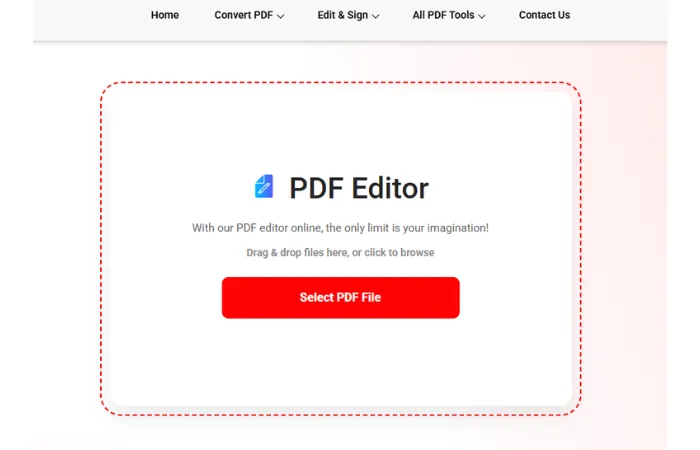
Suppose you have a resume on your device (mobile, desktop, laptop, tablet), with some mistakes in your PDF resume, and you want to edit them. In that case, visit pdfconveter.com and click on select PDF file.
Step 2: Upload PDF Resume
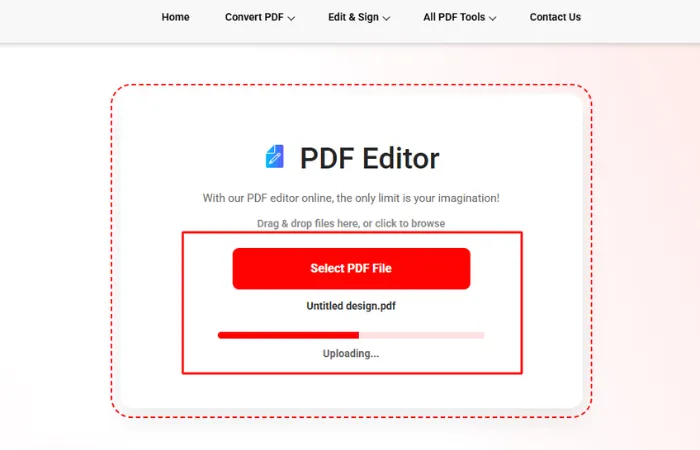
Now select your PDF resume from your folder, and then your resume will be in the editing field.
Step 3: Edit PDF Resume
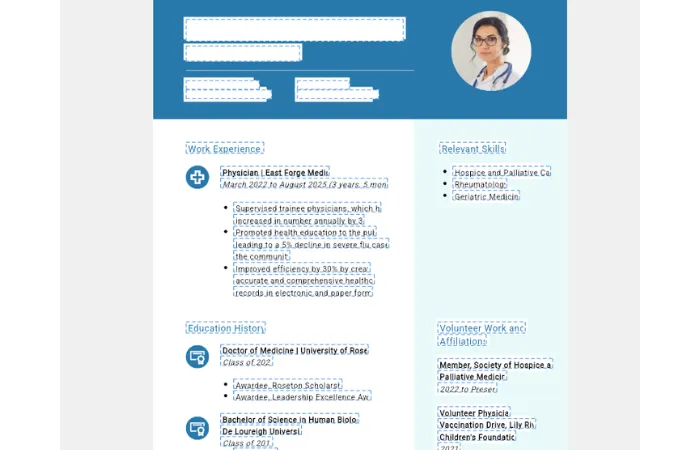
Now, click on Edit PDF, and after that, your resume will be ready to edit. Now edit, remove, add whatever you want. You may change font, add another page, etc.
Step 4: Download the edited PDF
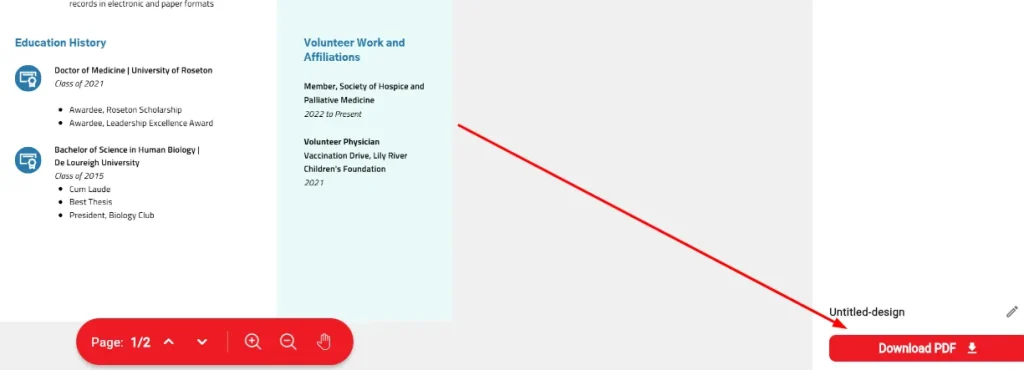
After editing, adding, and removing all the things, download your resume. In that case, select file quality (Low, Medium, High). Now, click on download or print, and get your edited, sharp, and clean updated PDF resume.
Common Formatting Problems After PDF Conversion
Converting a PDF resume to Word makes editing much easier. But formatting changes can sometimes occur during the process. If you try to edit a nursing student’s resume PDF, review the document before sending job applications. Even small layout issues can make your resume look unprofessional and make it difficult for ATS to read. The good news is that most formatting problems are easy to fix with a few simple adjustments. Using PDF Converter, you don’t need to think about formatting. It converts documents in an organized way.
1. Fonts Change
One of the most common issues is font replacement. If the original font isn’t available on your computer, Word may substitute it with another font. It may change the overall appearance of your resume. To maintain a professional look, use widely supported fonts such as Calibri, Arial, or Times New Roman, and compare the converted file with the original PDF before saving. Our PDF converter tool has no issues with fonts. You may choose any font from the font selection area.
2. Bullet Points Break
Bullet lists often lose their alignment after conversion. This can make your skills, clinical experience, or achievements appear uneven and harder to scan. Review each list carefully and use Word’s built-in bullet formatting instead of manually adding symbols to keep everything consistent.
3. Margins Shift
Margins may become wider or narrower, causing text to move onto another page or leaving too much empty space. Before finalizing your resume, check the page layout and make sure the spacing is balanced. A one-page resume is often preferred for nursing students, so adjusting margins can help keep your content organized.
4. Tables Become Misaligned
If your resume uses tables to organize education, certifications, or clinical rotations, they may not convert perfectly. Verify that rows, columns, and text remain aligned. In many cases, replacing complex tables with simple headings and bullet points improves readability and ATS compatibility.
5. Icons and Graphics Move
Small icons, logos, or decorative graphics may shift position or overlap with text after conversion. Since many employers use ATS software, to keep your resume simple with minimal graphics. Focus on clear headings and well-structured content instead of decorative elements. After fixing these formatting issues, you’re ready to apply a few best practices that will help keep your nursing resume clean, professional, and ATS-friendly.
Mistakes to Avoid When Editing a Nursing Resume
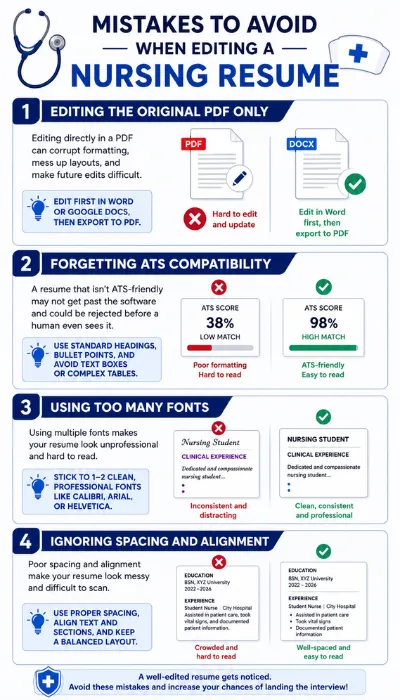
A well-edited nursing resume can significantly improve your chances of landing interviews in today’s competitive healthcare job market. Whether you’re updating your resume after earning a new certification or are ready for a specific nursing position, avoid common editing mistakes. Here are four mistakes every nursing professional should avoid when editing a nursing resume.
1. Editing the Original PDF Only
Many job seekers make the mistake of editing only the PDF version of their nursing resume. While PDF files preserve formatting across devices, they are not ideal for making frequent updates. Direct PDF modification can lead to broken formatting, misplaced text, or inconsistent layouts.
Instead, maintain your original resume in an editable format such as Microsoft Word. Update the Word document first, review all changes carefully, and then export a new PDF before submitting your application.
2. Forgetting ATS Compatibility
Avoid using tables, text boxes, graphics, icons, or decorative design elements that ATS software may struggle to read. Use standard section headings like Professional Experience, Education, Licenses & Certifications, and Clinical Skills. Incorporate relevant nursing keywords naturally throughout your resume to improve searchability without keyword stuffing.
3. Using Too Many Fonts
Choose a professional font for the body text and another complementary font for headings. Keep font sizes consistent throughout the document and use bold formatting only to highlight important sections. A clean and organized design allows recruiters to quickly find your qualifications and creates a stronger first impression.
4. Ignoring Spacing and Alignment
Before saving your final PDF file, review the entire layout carefully. Ensure each section has consistent spacing, bullet points are properly aligned, and margins remain uniform from top to bottom. Adequate white space improves readability and helps hiring managers locate important information quickly during their initial review.
A polished layout also reflects attention to detail, an essential quality for every nursing professional working in fast-paced healthcare environments.
Frequently Asked Questions
Can I edit a scanned nursing resume PDF?
Yes, but only if the scanned PDF is converted into editable text using Optical Character Recognition (OCR). After OCR processing, you can edit your nursing student resume in Word without retyping the entire document.
Will converting PDF to Word change the formatting?
It depends on the complexity of the original document. Most modern PDF to Word converters preserves fonts, spacing, bullet points, and headings, but resumes with complex tables, graphics, or custom layouts may require minor formatting adjustments.
Which format is better for job applications, DOCX or PDF?
PDF is generally the preferred format for submitting nursing resumes because it preserves formatting across all devices. However, editing is much easier in Word (DOCX).
Is an ATS-friendly resume important for nursing jobs?
Yes, many hospitals and healthcare employers use Applicant Tracking Systems (ATS) to screen resumes before they reach recruiters.
Can I convert the edited Word file back to PDF?
Yes, after editing your nursing student resume in Word, you can easily save or export it as a PDF. This ensures your formatting remains consistent while creating a professional document that’s ready for online job applications, email submissions, or printing.
How can I edit a nursing student resume PDF without losing quality?
The safest approach is to convert the PDF into an editable Word document first. Make all updates in Word, including education, clinical rotations, certifications, and skills, then export a new PDF.
What should I update before submitting a nursing student resume?
Before applying, review your contact information, graduation date, clinical experience, certifications, technical skills, and relevant coursework.
Is it safe to use an online PDF to Word converter for my nursing resume?
Most reputable PDF to Word converters uses secure file processing and automatically delete uploaded documents after conversion.
Final Thoughts
Editing your nursing student PDF resume is more than updating text. It’s about presenting your qualifications professionally and improving your chances of getting noticed. Keep your resume ATS-friendly, well-formatted, and tailored to each opportunity. A polished, accurate resume demonstrates your readiness for clinical roles and helps you stand out in today’s competitive nursing job market.
